
Start with the piano part
Use a .mid or .midi file. For a full arrangement, export just the piano part from your music software first. Split works with MIDI note data; audio recordings, video and sheet music need a separate transcription step.
Open, listen and adjust
- Open Split and choose Choose a MIDI file, or drag the MIDI into its window. The hand model runs on your computer.
- Press Play. Use Listen → Left, Right or Both to hear the parts. Slow the playback when you want to follow a phrase closely.
- Click a falling note, then choose its hand in Make it yours. Drag a box around several notes to change a passage. Undo and redo let you compare choices.
- Use Original / Edited to compare the initial predictions with your changes. Next suggestion to review helps find less certain assignments.
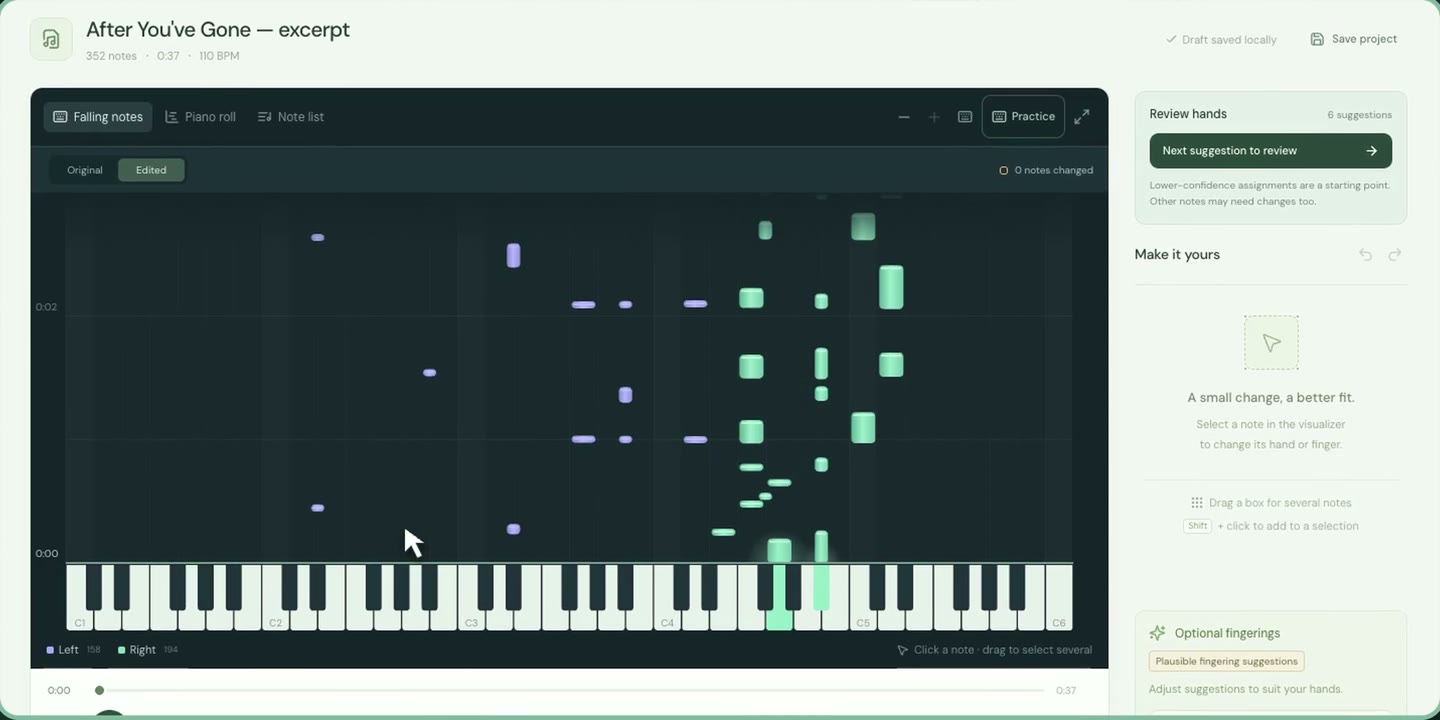
Pitch alone does not tell the whole story: melodies dip, accompaniment rises and hands overlap. Split considers notes in context. Review the result by listening and playing, especially where several hand choices are possible.
Add plausible fingering suggestions
Choose Generate fingerings if you want suggestions. Click a note and choose a number from 1–5: 1 is the thumb, 5 the little finger. Adjust the choices for your hands or leave notes unnumbered.
Save or export
Save project keeps your work in a .pbsplit file. To use it in another music app, choose Export → MIDI. The left hand goes on track/channel 1 and the right hand on track/channel 2. Exports use your edited assignments and retain performance timing, velocity and pedal information; check any warnings for unusual source files.
For hand assignments and optional finger hints in Synthesia, use the Synthesia export workflow.
Common questions
Will every assignment be right?
MIDI does not record a player’s hand movements. Overlapping hands and unusual voicings may need correction. The editable predictions give you a starting point for practice.
Will the MIDI become a grand staff?
The separate hand tracks can help notation software import the parts. Clefs, staves and rhythm interpretation depend on that software and its settings. Split does not export an engraved score or MusicXML.
Does plain MIDI keep the finger numbers?
Not in a portable form. Keep a Split project, or export a Synthesia pack for finger hints in Synthesia.