
Prepare the piece
Open the MIDI in Split. Listen to Left, Right and Both, then select any notes you want to reassign. Choose Generate fingerings for optional suggestions; click a note to edit its finger number. These are plausible playing choices that you can adapt to your hands.
Save a Split project if you want to come back later. Exports use your Edited assignments, even while you are comparing them with Original.
Export the pair
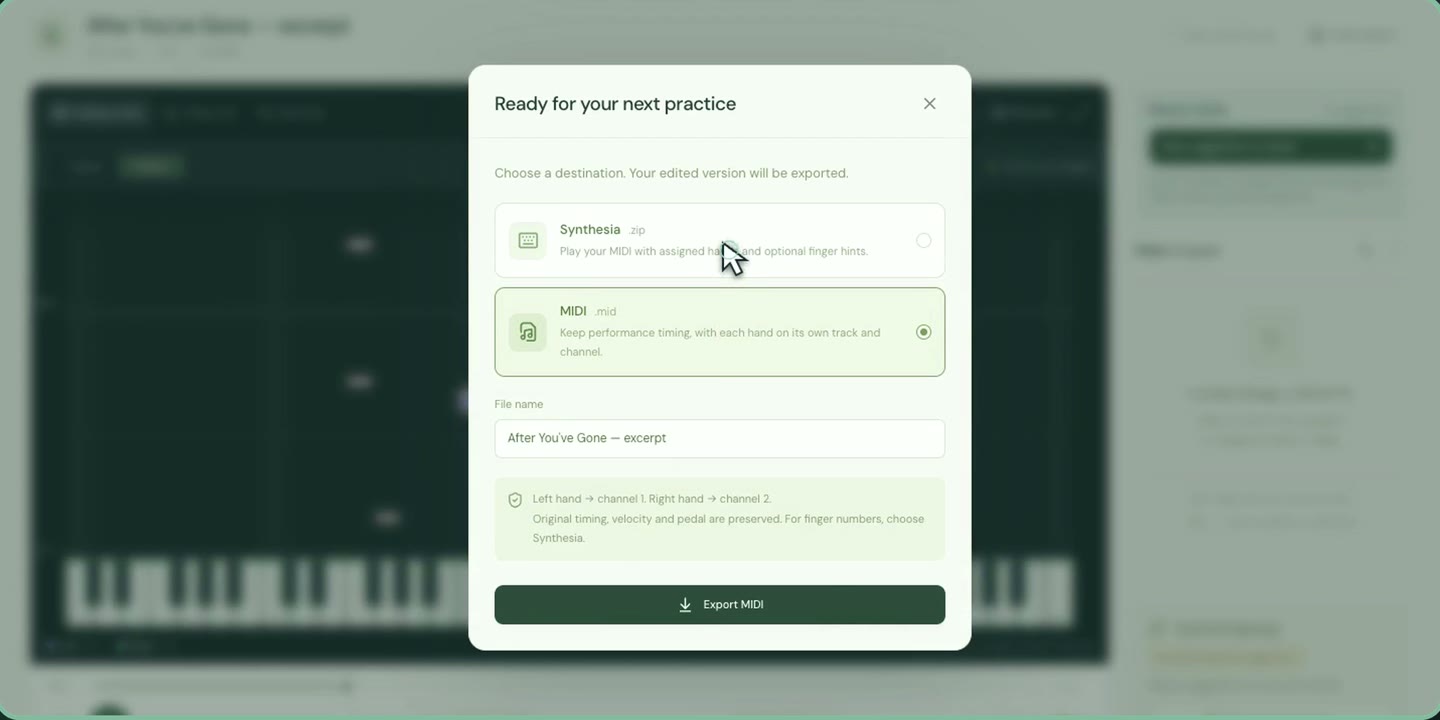
- Choose Export → Synthesia.
- Enter a file name. Select Include fingerings if you want your assigned finger numbers. Generate or assign fingerings first if that option is unavailable.
- Choose Save Synthesia pack. Extract the ZIP and leave its
.midand.synthesiafiles together. - Open the MIDI in the desktop version of Synthesia. On Mac, right-click the MIDI and choose Open With → Synthesia.
Split also offers Save & open in Synthesia, which saves the pair and attempts to open the MIDI in your installed copy. Synthesia is a separate application.
If the hands or finger hints are missing
Check that the ZIP is extracted and both files are in the same folder. In Synthesia, go to Settings → Songs, add that folder and reopen the piece. See Synthesia’s guide to adding songs.
If the hands appear but numbers do not, check Include fingerings when exporting and enable finger hints in Synthesia’s label controls. Use the MIDI from the same export: editing it in another program can break its match with the annotations.
Which export should I choose?
| Export | What it keeps |
|---|---|
| MIDI | Performance with left and right hands on separate tracks/channels, for a DAW or MIDI-compatible editor. |
| Synthesia pack | Matching MIDI and Synthesia files with hand assignments and optional finger hints. |
Common questions
Do I need Synthesia’s Metadata Editor?
No. Split creates the companion annotations. Keep both files together and let Synthesia scan their folder.
Does slower playback change the export?
No. Playback speed and the left/right listening buttons are practice controls. Exports keep the original performance timing and both hands.
Are fingerings required?
No. Leave Include fingerings unchecked for hands only, or leave individual notes unnumbered.
New to hand separation? Read how to split a piano MIDI into left and right hands.